 Stream a Mukbang
Collab & Social
Stream a Mukbang collab and social guide — how to set up group mukbang sessions, seating arrangements, and audience interaction tips.
Server Size
Multi
Key Feature
Group Eating
Collab mukbang sessions let you stream with other players for more entertaining content. Coordinating seating, turn order, and camera angles is essential for a smooth group recording experience. The Party Host gamepass enables private collab rooms.
📋 Collab Session Types
| Session Type | Players | Key Feature | Best For |
|---|---|---|---|
| Duo Mukbang | 2 | Paired eating, shared screen | Beginner collabs |
| Group Feast | 3-5 | Wide table shot, turn-based eating | Community streams |
| Party Host Room | 6+ | Private room, custom seating | Large organized events |
| Apartment Collab | 2-3 | Cat interactions, cozy setup | Casual social streams |
⚙️ Core Mechanics
Collab mukbang sessions allow multiple players to stream together on the same table. Each player takes turns eating while the camera captures the group. The Party Host gamepass enables private collab rooms with custom seating arrangements. Coordinating turn order and camera angles is essential to ensure every participant gets screen time during the recording.
✅ Key Advantages
Collab streams generate more viewer engagement than solo streams because the group dynamic creates entertaining interactions. Combined audience metrics from multiple players lead to higher comment rates and follower growth. Collab sessions are also more fun and social, keeping players engaged for longer sessions.
⚠️ Challenges & Weaknesses
Coordinating schedules with other players can be difficult, especially across time zones. Without the Party Host gamepass, collabs are limited to public servers with background noise and interruptions. Poorly organized collabs where players talk over each other or eat simultaneously can result in messy recordings that hurt viewer retention.
❓ Frequently Asked Questions
How do I start a collab mukbang?
Find other players in a public server, agree on a seating arrangement and turn order, then start recording. For private collab rooms, the Party Host gamepass is required. Plan who eats when so everyone gets equal screen time.
Do I need a gamepass for collabs?
Basic collabs can be done for free in public servers. The Party Host gamepass adds private rooms and custom seating arrangements, which eliminate background noise and interruptions but are not strictly required for collab sessions.
How do I set up the camera for group recordings?
Use a wide camera angle that captures the entire table and all participants. Position the camera so every player's avatar is visible in frame. For detailed food close-ups during your turn, briefly switch to close-up framing, then return to wide shot for group interactions.
💡 Quick Tips
Coordinate seating arrangement before starting a collab recording
Use wide camera shots to capture the full group table setup
Plan turn order so every participant gets equal screen time
⭐ Featured

Stream a Mukbang Collab Mukbang Guide — How to Stream with Other Players
Complete collab mukbang guide for Stream a Mukbang. Learn how to set up group streaming sessions, coordinate seating, manage turn order, and use wide camera shots.

How to Play Stream a Mukbang with Friends — Multiplayer and Server Guide
Step-by-step guide to playing Stream a Mukbang with friends. Join the same server, invite friends, and set up group streaming sessions on Roblox.
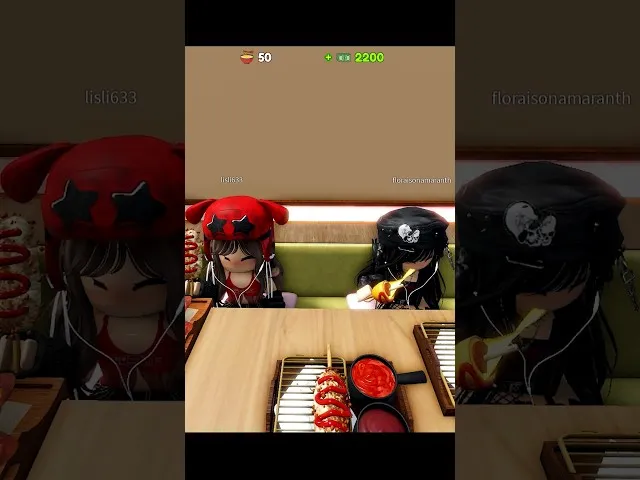
Stream a Mukbang Audience Interaction Tips — How to Engage Viewers and Grow Your Channel
How to maximize audience interaction in Stream a Mukbang. Tips for growing views, likes, followers, and comments through strategic food choices and streaming habits.
📄 All Articles
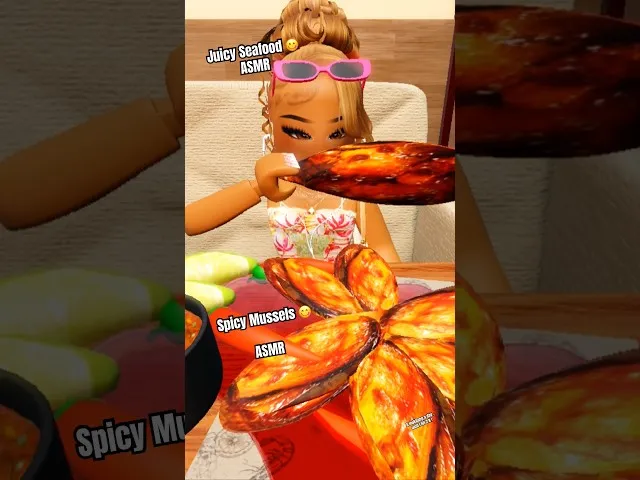
Stream a Mukbang Apartments and Cats Guide — Room Features and Social Spaces
Guide to apartments and cat features in Stream a Mukbang. Learn about apartment vlogging, cat interactions, and social spaces for group streaming.

Stream a Mukbang Group Recording Setup — Multiplayer Camera and Seating Guide
How to set up group recording sessions in Stream a Mukbang. Camera angles for multiple players, seating arrangements, and turn order coordination.